
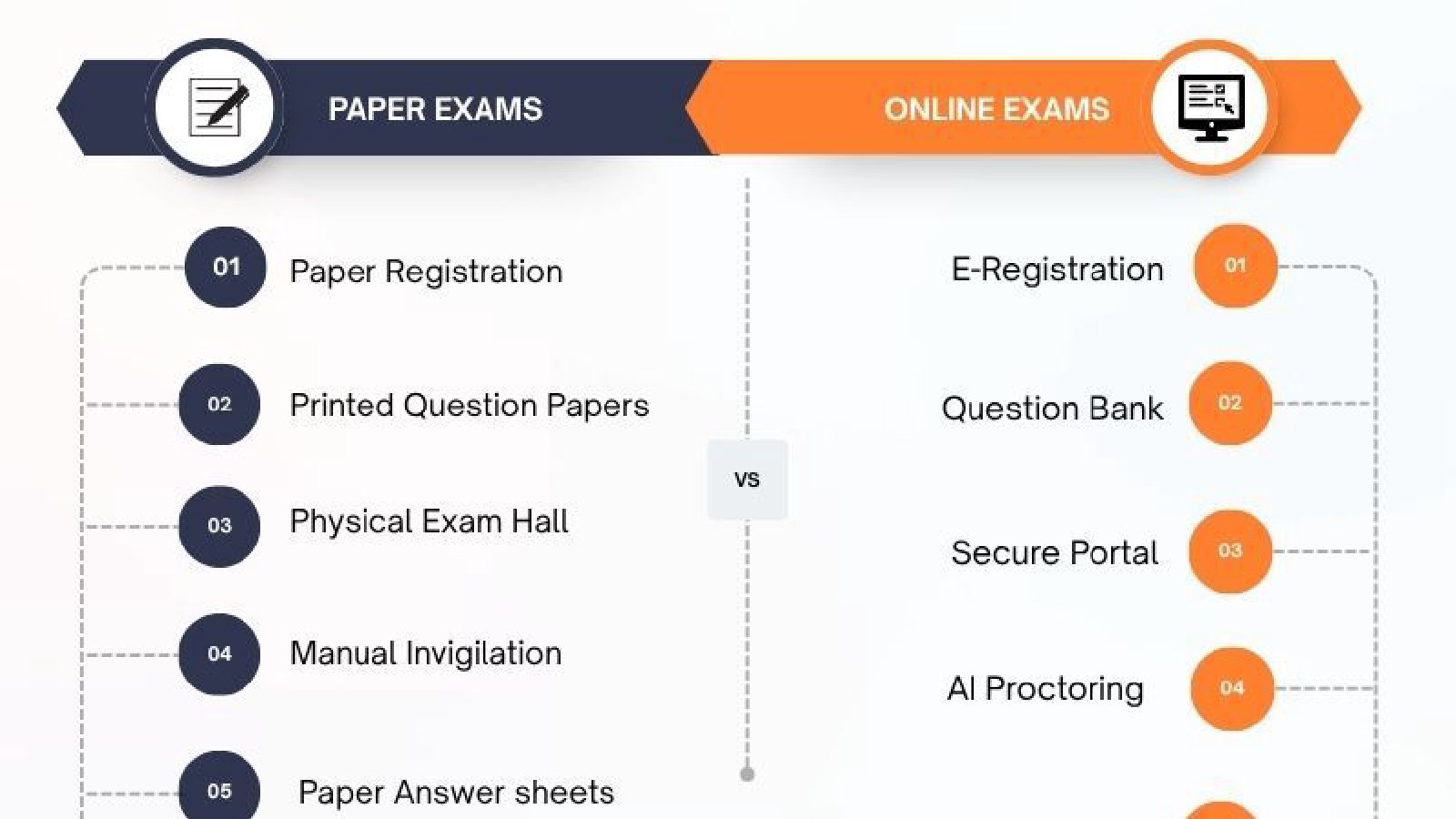
Let’s be honest: physical paper exams are fast becoming an operational nightmare.
Between printing thousands of question papers, managing physical logistics, renting test venues, and spending exhausting weekends manually grading answer sheets, traditional testing methods simply don’t scale anymore.
If your institution or business is still relying on manual testing, you are likely losing hundreds of hours and thousands of dollars every exam cycle.
Switching from manual to online assessments isn’t just about going paperless—it’s about taking your operational efficiency, exam security, and candidate experience to the next level. Whether you are looking at how to move your assessments online or exploring modern methods of assessment, this step-by-step road map will show you how to improve online assessments and execute a flawless digital migration.
💡 Did You Know? Institutions that transition from paper to digital testing report an average 60% reduction in administrative processing time within their first two exam cycles!
Why Institutions Are Switching to Online Assessments?
Before jumping into execution, let’s look at why leading universities, certification boards, and enterprise companies are ditching paper for digital testing environments.
Here is what you instantly unlock when you make the leap:
Automated grading delivers scores in seconds, completely eliminating grading fatigue for instructors.
Advanced AI-powered proctoring and secure browser lockdowns ensure candidates play by the rules no matter where they sit.
Host thousands of test-takers simultaneously without booking a single physical classroom or test center.
Say goodbye to paper, printing, shipping, and venue rental invoices forever.
Are you ready to stop wasting time on manual processes? Let’s break down the exact steps to switch smoothly.
Step 1: Audit Your Current Methods of Assessment.
Every successful digital migration starts with an operational audit. A common mistake many institutions make is trying to copy-paste a traditional paper test onto a digital screen line-by-line. Paper tests were designed around the limitations of print; digital assessments open up entirely new dimensions for measuring actual competency.
Take a deep inventory of your current testing formats and see how they translate to modern digital environments:
Objective & Multiple-Choice-Questions (MCQs) are the easiest to migrate. Algorithms automatically grade them, handle partial credit scoring, and randomize options so no two adjacent students receive the same question layout.
Instead of dealing with illegible handwriting that wastes teachers' time, students type their responses into secure rich-text editors equipped with live word counters, spell-checkers, and automated plagiarism detection.
Paper exams completely fail at testing real-world practical skills. Modern platforms allow you to embed interactive coding sandboxes, file-upload tasks, financial spreadsheet simulations, or audio-visual media prompts directly inside the test.
Mapping out your methods of assessment during this early stage guarantees that you select software capable of supporting both simple quizzes and high-stakes certification tests effortlessly.
Step 2: Choose a Purpose-Built Platform Like Proctor Plus
Selecting your technology partner is the single most critical choice in your transition journey. The wrong platform will crash during peak student traffic, create complicated setups for non-tech-savvy teachers, and trigger endless technical complaints. The right platform, on the other hand, makes online testing completely invisible and stress-free.
When evaluating potential assessment engines, ensure they meet these non-negotiable criteria:
1. Simple, No-Code Test Creation for Faculty
Teachers are experts in their subjects, not in software engineering. Proctor Plus provides an intuitive, drag-and-drop dashboard that allows instructors to build rich question banks, set custom time limits, and generate randomized exam sets in just a few clicks—without needing any IT training.
2. Multi-Layered AI Proctoring & Anti-Cheating Controls
Security and integrity are naturally the biggest concerns when moving away from physical exam halls. Without an invigilator physically walking down the aisles, institutional leaders often worry about impersonation, unauthorized web browsing, or hidden communication.
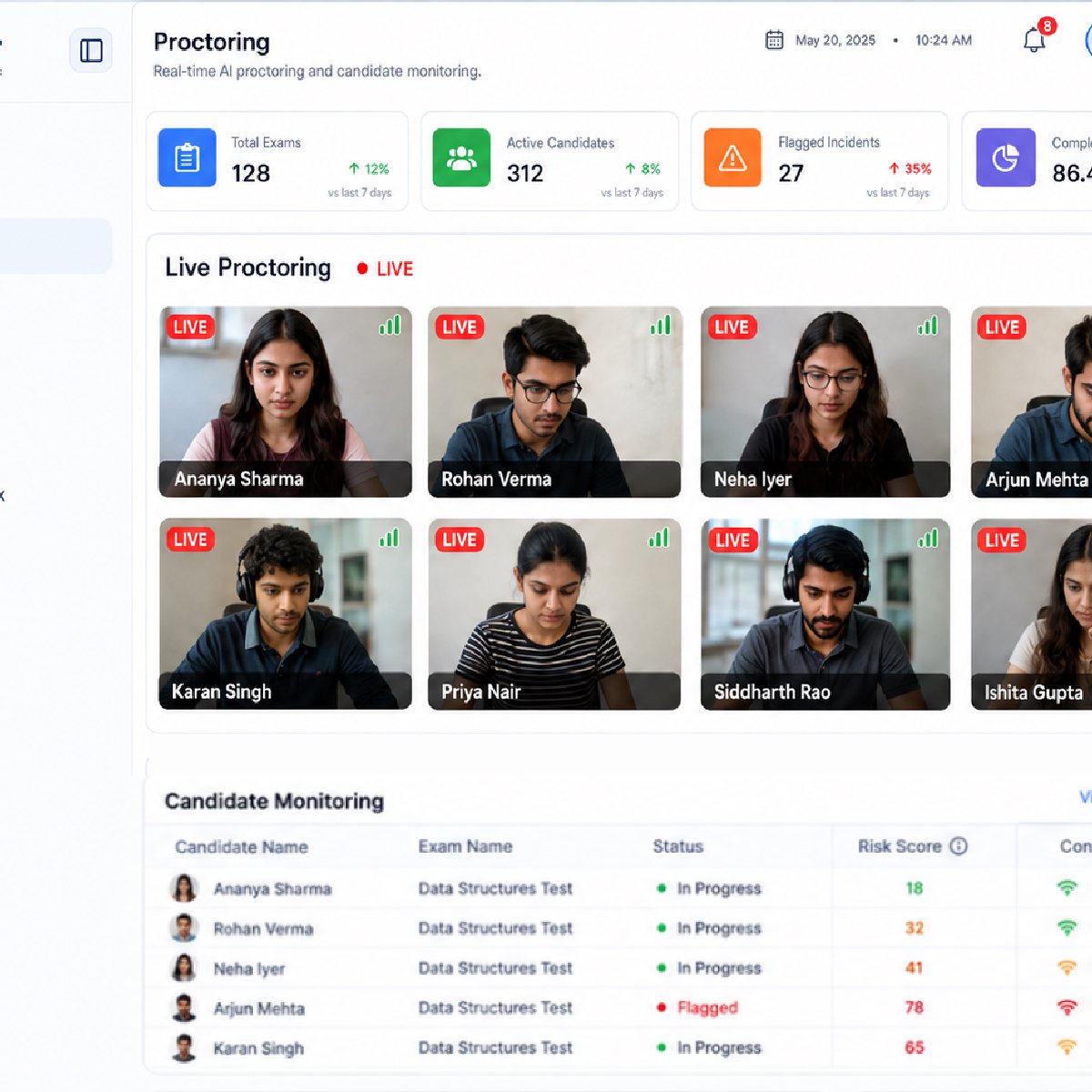
Modern assessment engines like Proctor Plus solve these challenges by replacing human physical oversight with a multi-layered, automated security suite designed to eliminate modern cheating tactics without creating a stressful environment for honest candidates:
AI Video & Audio Monitoring: In a physical exam hall, an invigilator watching dozens of students can easily miss quick, split-second glances. Proctor Plus eliminates these human blind spots .The system continuously tracks eye movement, head posture, and ambient sounds. If a student repeatedly looks off-screen, if a secondary face appears in the frame, or if background whispers are detected, Proctor Plus instantly logs a timestamped video clip for human review, preventing false accusations while keeping test integrity high.
Strict Lockdown Browser Technology: To ensure candidates aren't searching for answers online or sharing test material, the platform temporarily locks down the student's device during the active test session. This prevents test-takers from opening new browser tabs, launching secondary applications, taking screenshots, or using shortcut keys like
Ctrl+CandCtrl+V. It even detects and blocks dual-monitor setups or screen-sharing software.Dynamic Question Pooling & Shuffling: Even if candidates sit next to each other in a computer lab or communicate via chat, Proctor Plus prevents answer-copying by serving completely randomized test papers. The platform dynamically pulls questions from a centralized pool, shuffles the question order, and reorganizes multiple-choice answer options for every individual candidate—ensuring no two students get the exact same test sequence.
3. Bulletproof Concurrency & Server Stability
High-stakes exams often mean thousands of candidates logging in at the exact same minute. Proctor Plus is built on auto-scaling cloud architecture designed to handle sudden surges in web traffic smoothly, ensuring zero site lag or crashing mis-exams.
Step 3: Train Your Staff and Convert Resistance into Confidence
One of the most overlooked hurdles when switching from in-person to online exams is internal human resistance. Teachers, invigilators, and admin staff who have spent decades working with paper may feel intimidated by new software or worry about their roles becoming redundant.
To ensure a smooth transition, focus on building staff confidence early through structured, low-stress onboarding:
Teach faculty how to organize questions by difficulty tags, subject modules, and learning outcomes. Once built, these digital banks save teachers hundreds of hours in future exam cycles because test sets can be generated automatically.
Clarify that AI proctoring is built to assist invigilators, not replace their common sense. Train your team on how to review flag timestamps so they can quickly verify suspicious activity without penalizing innocent candidates who simply sneezed or looked up for a moment.
Create clear, simple 1-page reference guides for invigilators so they know exactly what to do if a candidate experiences a local power outage or forgets their password during a live exam window.
Step 4: Run Mock Exams to Dissolve Student Anxiety
Student anxiety usually reaches its peak when candidates face an unfamiliar software interface for the first time on a high-stakes exam day. If a student is spending energy figuring out how to submit an answer or upload a file, they aren't focusing on demonstrating their knowledge.
Running mandatory, low-stakes mock tests well before the final exam eliminates interface confusion and technical surprises:
Design a fun, 5-minute practice quiz that candidates must complete a week before the main exam. This forces their computers to automatically verify webcam permissions, browser compatibility, and internet stability in advance.
Clearly communicate the ground rules for remote testing. Remind students to test in a quiet, well-lit room, keep their desks clear of unauthorized materials, and inform family members not to stream heavy video files on the same Wi Fi network during their exam time.
Step 5: Put Fail-Safe Emergency Protocols in Place
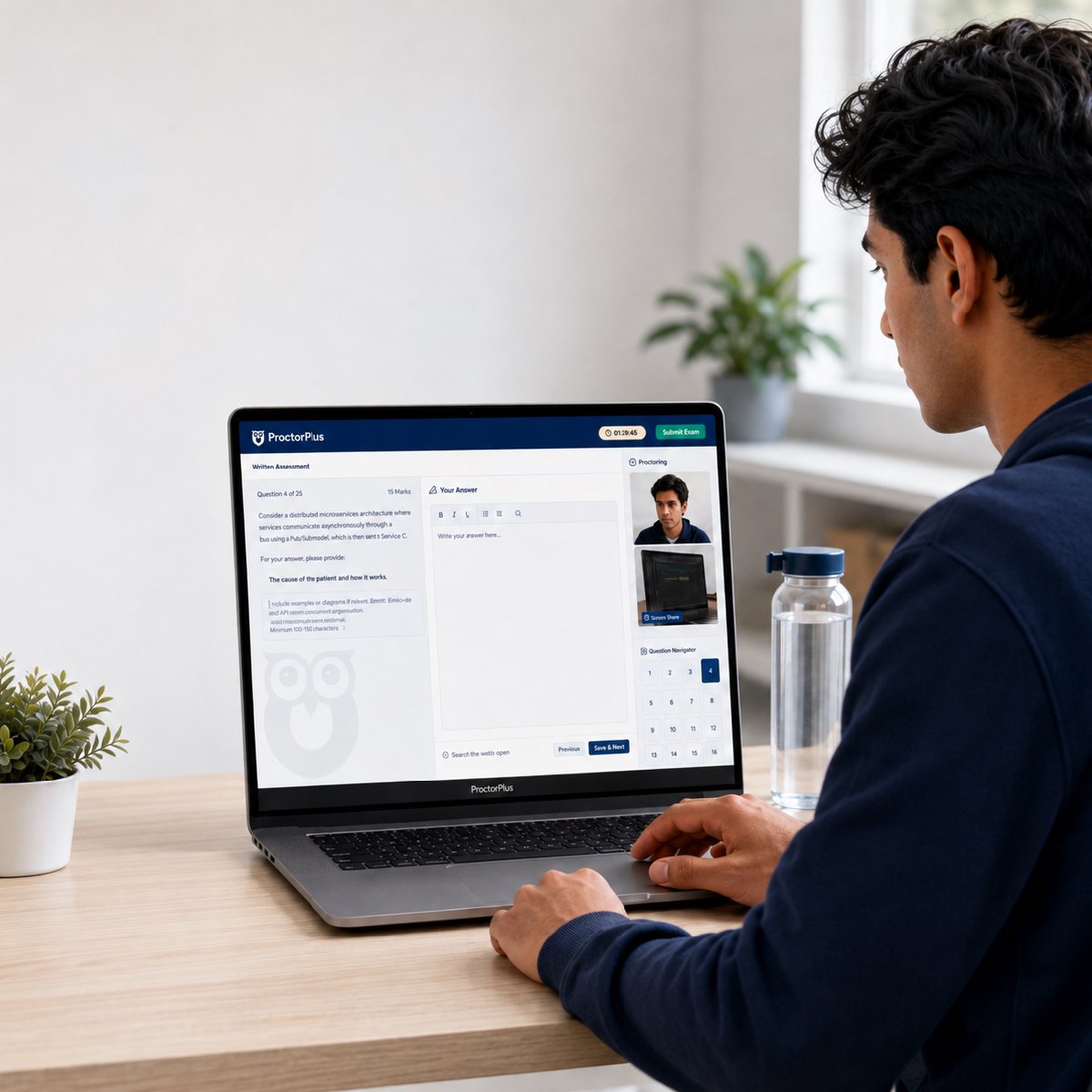
In the physical world, an exam continues uninterrupted even if it starts raining outside. In the digital world, however, a sudden Wi Fi drop or local power failure can feel like an absolute disaster to a candidate if your testing environment isn't prepared for it. Building peace-of-mind safety nets into your workflow ensures that no student loses their hard-earned progress due to a temporary technical glitch.
To protect both candidate anxiety and institutional integrity, make sure your digital assessment workflow relies on these essential fail-safe mechanisms:
Every single keystroke, typed sentence, and selected multiple-choice option should be saved to secure cloud servers in real time. Even if a student's laptop suddenly dies or their browser crashes, their answers remain 100% intact up to the exact second of the disruption.
Network drops shouldn't mean immediate disqualification. Modern engines automatically freeze the candidate's exam timer the moment an internet disruption is detected. Once the connection is restored, the student can seamlessly log back in and resume their test right where they left off without losing a single precious minute.
Technical hiccups are much easier to resolve when help is just a click away. Providing direct, in-exam chat support allows candidates to communicate with technical administrators instantly, resolving local system issues quickly without breaking their concentration or creating exam-room panic.
💬 Pro Tip: Always run a small pilot program with a single department or group before rolling out online assessments across your entire institution. This allows you to refine your operations in a controlled environment!
How to Continuously Improve Online Assessments Over Time
Transitioning to digital assessments isn't a one-and-done project it's an evolving, long-term strategy. Once your initial online exams are complete, the real key to continuous improvement lies in leveraging your platform’s built-in analytics to optimize your entire workflow. By regularly reviewing performance metrics, you can easily audit question difficulty to identify queries that might be worded poorly or carry abnormally high failure rates, allowing you to refine your test material for future cohorts.
Beyond content optimization, it is equally important to fine-tune your exam security settings and collect direct user feedback. Analyzing initial flag reports helps you adjust AI proctoring sensitivity levels to minimize frustrating false positives for honest candidates. Paired with post-exam feedback from both faculty and students to catch hidden friction points, this structured, iterative approach ensures you can permanently phase out manual testing and build a secure, adaptable and modern assessment platforms.
🚀 Take the Friction Out of Online Exams with Proctor Plus
Transitioning to digital testing doesn't have to be overwhelming. Proctor Plus provides everything you need from AI proctoring and automated identity checks to real-time auto-saving and detailed performance analytics.
Book a Demo with Proctor Plus to see how simple going digital can be!