
Schools
Term examinations and academic assessments.
For education & recruitment teams
Managing remote exams requires reliable monitoring and a fair testing environment. Proctoring software in Punjab helps educational institutions and recruitment teams verify candidates, oversee examinations and identify suspicious activities. ProctorPlus combines exam creation, AI-powered supervision and assessment reviews in one platform, making online examinations easier to manage and monitor.
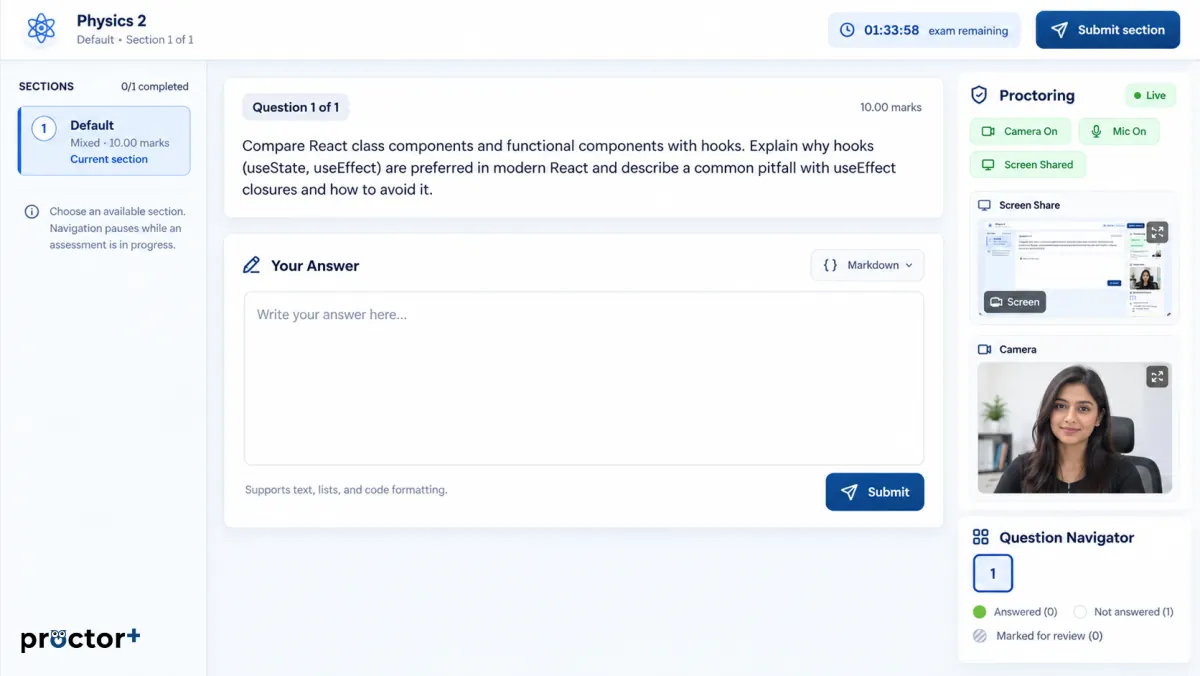
Automated monitoring flags events.
People review the evidence.
Clear rules, wherever the exam happens
Managing exams across classrooms, campuses and remote locations requires consistent rules. An online proctoring system in Punjab helps administrators organise examinations, confirm candidate identities and examine flagged activity after each session. Instead of relying entirely on physical supervision, teams can use digital records to understand how assessments were conducted.
The platform supports academic testing and structured evaluations through question banks, monitoring options and accessible results. Institutions can explain examination requirements before candidates begin, helping everyone understand the process and applicable rules.
Explore remote proctoringVerification, controls and evidence
Assessment integrity involves more than watching a webcam. Effective online proctoring software in Punjab combines identity checks, examination controls and evidence that authorised reviewers can assess. This approach helps institutions respond consistently when unusual activity appears during an examination.
Available security capabilities include facial verification, audio monitoring, gaze tracking, application controls and incident records. Administrators can discuss suitable configurations based on examination rules, participant needs and privacy requirements. Automated alerts indicate events requiring attention; they do not independently establish misconduct.
Responsible monitoring
Searches about proctor track cheating often reflect questions about whether remote exams can detect prohibited behaviour. No monitoring technology can eliminate every risk. Institutions benefit more from clear examination policies, identity checks, careful incident review and fair appeal procedures than from treating automated alerts as proof.
Automated alerts indicate events requiring attention; they do not independently establish misconduct.
From questions to participation
From entrance assessments to employee evaluations, proctoring software for online exam delivery helps teams administer tests without gathering everyone in one examination hall. Organisers can prepare questions, define time limits and review participation through a structured assessment workflow.
ProctorPlus provides question banks, question randomisation, multiple question formats and exam monitoring features. These tools help educators create different assessment experiences while keeping administration manageable. Institutions can select settings that reflect the examination's purpose, difficulty and candidate requirements.
Explore question banksContext before conclusions
Although online proctored exam software can flag suspicious events, its findings need context. Looking away from a screen, hearing background noise or experiencing an interrupted connection may have innocent explanations. Reviewers need appropriate evidence and consistent policies before deciding whether examination rules were breached.
These events may have innocent explanations.
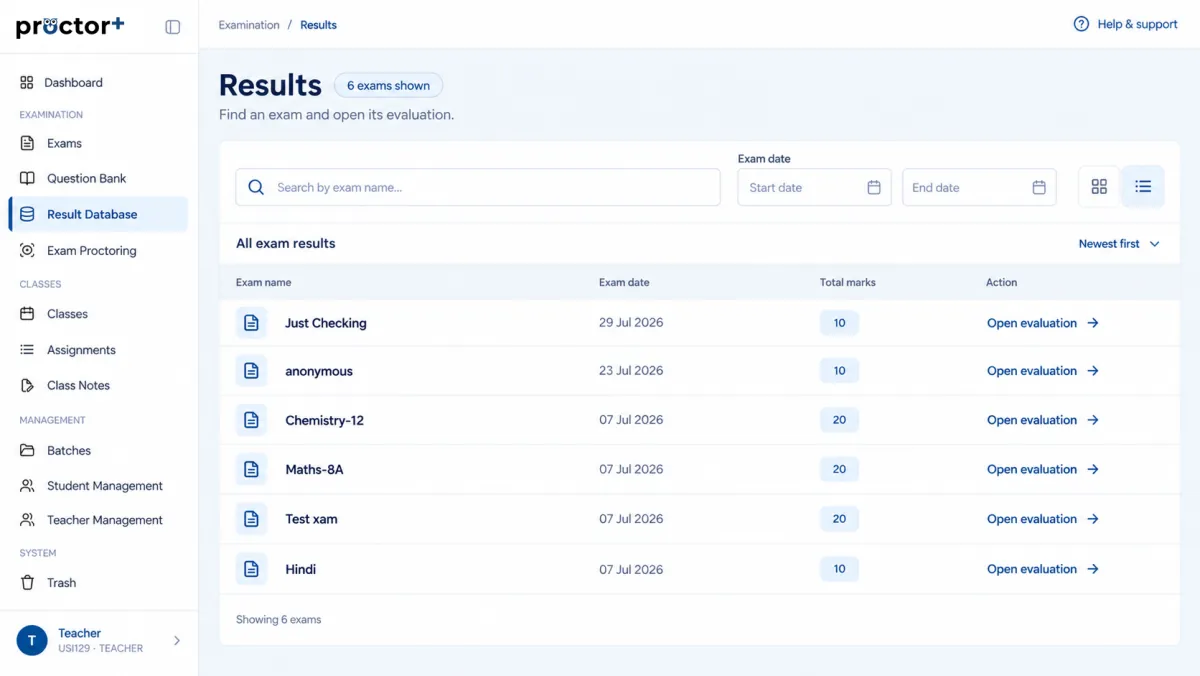
Review the session with context
Assessment teams need a clear picture of what happened during each session. Online exam proctoring software can support this through monitoring events, stored records and reports that assist authorised staff in examining potential irregularities. Organised evidence also makes conversations about disputed examination activity more informed.
For institutions evaluating remote examination tools, useful considerations include candidate onboarding, technical requirements, monitoring configuration and the way reports are reviewed. A demonstration can clarify which capabilities suit academic examinations, certifications or recruitment assessments.
Book a DemoA connected examination journey
An online exam proctoring system works best when exam preparation, candidate instructions, monitoring and results are connected. Staff can create an assessment, communicate participation requirements, oversee the session and review available reports afterwards. Integration options and access permissions require confirmation before implementation.
Choose settings for the assessment
Different organisations assess people for different reasons. Proctored exam software in Punjab can support schools conducting term examinations, colleges managing entrance tests, training providers issuing certifications and businesses evaluating applicants. The appropriate monitoring level depends on the importance and format of each assessment.
ProctorPlus also connects academic learning tools with examination and evaluation workflows. Teams can discuss the needs of students, administrators and reviewers rather than adopting identical settings for every assessment. This flexibility matters when exams vary in duration, question type or participation arrangements.
Term examinations and academic assessments.
Entrance tests and academic assessments.
Certification-related examinations.
Candidate and employee evaluations.
Support preparation and review
Help establish who is taking an examination before monitoring begins.
Prepare quizzes, written responses and other supported question types.
Review flagged events alongside available session records.
Keep assessment preparation and results within connected workflows.
Explain permissions, equipment and examination rules in advance.
Before a wider rollout
Consider accessibility, privacy, technical compatibility and the candidate experience.
When comparing proctoring software in Punjab, organisations also need to examine accessibility, data retention, support arrangements and the handling of false alerts. A responsible selection process prioritises fair assessment alongside security. Teams can also conduct a small pilot examination, collect candidate feedback and document how technical problems or disputed alerts will be handled. These practical checks help administrators establish expectations before expanding to larger groups. Before launching, administrators can explain monitoring requirements, provide a practice session, identify support contacts and tell candidates how to report accessibility concerns or unexpected technical interruptions quickly.
Discuss your assessment requirementsBefore you begin
It helps institutions supervise remote examinations through identity checks, monitoring settings and reviewable records. Organisations use it for academic tests, certification assessments and candidate evaluations.
Yes. Universities can consider it for entrance tests, semester examinations and other remote assessments. Suitability depends on examination policies, infrastructure and student accessibility requirements.
Requirements may include a compatible computer, webcam, microphone and stable internet connection. Confirm browser, extension and device requirements before scheduling an examination.
The platform describes question banks, timed tests and multiple question types. Institutions can request a demonstration to verify particular assessment formats and monitoring configurations.
Compare examination needs, candidate experience, privacy controls, accessibility, technical compatibility and reporting workflows. Trial the platform with representative users before wider adoption.
Reliable remote assessment begins with clear rules, suitable technology and informed review. Organisations planning secure remote examinations can evaluate monitoring features, candidate requirements and administrative workflows with ProctorPlus. Discuss your examination goals, confirm the available settings and see how the platform can support your next assessment cycle. Start with an informed platform demonstration.